Ministry of Education Opens Grade 10 Senior School Selection System
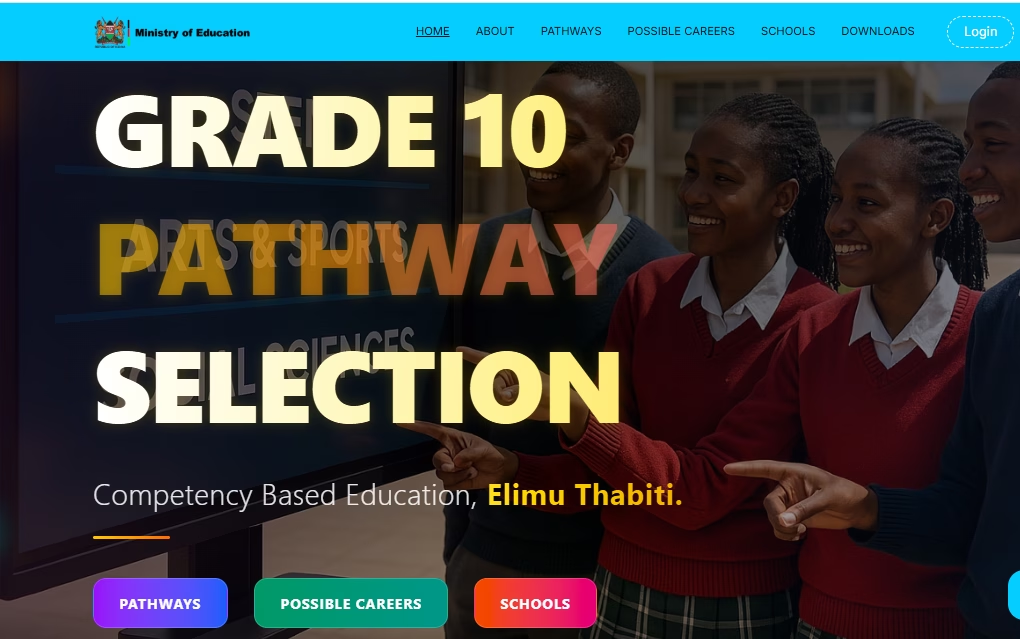
The Ministry of Education officially opened the Grade 10 Senior School Selection System, enabling learners to select schools based on their preferred career pathways under the Competency-Based Curriculum (CBC).
Accessing the portal needs a login username and password through the provided link.
Learners will choose from three pathways:
- STEM (Science, Technology, Engineering, Mathematics)
- Social Sciences
- Creative Arts and Sports
The system helps students explore possible careers tied to each pathway and identifies schools offering the relevant programs.
Teachers and school heads are urged to support students in making informed choices aligned with their talents and career interests.
Parents are encouraged to participate actively to ensure smooth and appropriate placement for all learners.
TAP ON THIS LINK TO LOG IN:
https://selection.education.go.ke/
HOW TO LOG IN
- Go to any browser and search
 ; senior school selection portal and click first link
 - On the landing page click on log in, if you’re using a mobile device, click on three bars on the far right to access login button and click.
- Type in the Junior School NEMIS UIC and it’s password. Please be keen here.
- When prompted to fill the Verification code, kindly use 54321 (Only usable during piloting).
LOGIN SUCCESSFULL - Click on PATHWAY SELECTION If you’re using a Mobile
 device, click on the Three dashes on the Far left to access it.
 - This action will avail all the KJSEA learners in Grade 9.
- Click on Each Learner at a time and Update their profiles .
- Indicate their special need type if any.
- Check
 or click on those who were present during pathway selection e.g Parent/guardian, HOI, Learner or class teacher.
 - Feed the Parent or guardian Information.
- Update Learner Location, i.e Home County and Sub-County, County and Sub-County of Residence.
- Indicate a comment if any. (Optional)
- Click SUBMIT and confirm.
SELECTING LEARNERS PATHWAY
- Pick only ONE PATHWAY for each learner e.g. STEM, Social Sciences or Arts & Sports Science.
- Confirm to proceed.
- You will be provided with a list of Subject Combinations in that parthway and are offered in various Senior Schools across the Country.
- Select only THREE Subject Combinations that suit the Learner.
- Click SUBMIT
PROCEED TO SCHOOL SELECTION
- Click EACH Subject Combination at a time and Proceed to select 4 schools 1 in each of the four clusters.
- Once the 4 Schools are selected for the learner that one combination will disappear.
- Do this for the 3 Subject Combinations.
- Upon Completion. you’ll be able to download or print the learner Profile.
Kindly, DO NOT go to NEMIS this is a separate Platform.
Ministry of Education Opens Grade 10 Senior School Selection System
The Ministry of Education officially opened the Grade 10 Senior School Selection System, enabling learners to select schools based on their preferred career pathways under the Competency-Based Curriculum (CBC).
Accessing the portal needs a login username and password through the provided link.
Learners will choose from three pathways:
- STEM (Science, Technology, Engineering, Mathematics)
- Social Sciences
- Creative Arts and Sports
The system helps students explore possible careers tied to each pathway and identifies schools offering the relevant programs.
Teachers and school heads are urged to support students in making informed choices aligned with their talents and career interests.
Parents are encouraged to participate actively to ensure smooth and appropriate placement for all learners.
TAP ON THIS LINK TO LOG IN:
https://selection.education.go.ke/
HOW TO LOG IN
- Go to any browser and search ; senior school selection portal and click first link
- On the landing page click on log in, if you’re using a mobile device, click on three bars on the far right to access login button and click.
- Type in the Junior School NEMIS UIC and it’s password. Please be keen here.
- When prompted to fill the Verification code, kindly use 54321 (Only usable during piloting).
LOGIN SUCCESSFULL - Click on PATHWAY SELECTION If you’re using a Mobile device, click on the Three dashes on the Far left to access it.
- This action will avail all the KJSEA learners in Grade 9.
- Click on Each Learner at a time and Update their profiles .
- Indicate their special need type if any.
- Check or click on those who were present during pathway selection e.g Parent/guardian, HOI, Learner or class teacher.
- Feed the Parent or guardian Information.
- Update Learner Location, i.e Home County and Sub-County, County and Sub-County of Residence.
- Indicate a comment if any. (Optional)
- Click SUBMIT and confirm.
SELECTING LEARNERS PATHWAY
- Pick only ONE PATHWAY for each learner e.g. STEM, Social Sciences or Arts & Sports Science.
- Confirm to proceed.
- You will be provided with a list of Subject Combinations in that parthway and are offered in various Senior Schools across the Country.
- Select only THREE Subject Combinations that suit the Learner.
- Click SUBMIT
PROCEED TO SCHOOL SELECTION
- Click EACH Subject Combination at a time and Proceed to select 4 schools 1 in each of the four clusters.
- Once the 4 Schools are selected for the learner that one combination will disappear.
- Do this for the 3 Subject Combinations.
- Upon Completion. you’ll be able to download or print the learner Profile.
Kindly, DO NOT go to NEMIS this is a separate Platform.